
8 reasons and how to fix it
Is your internet slow at night? Well, you’re definitely not alone.
Many households notice a drop in speed during the evening hours, usually between 7 pm and 11 pm, and it’s incredibly frustrating when you’re trying to stream, browse, or game.
Here’s a breakdown of the most common reasons your internet is slow at night, along with tips on what you can do to improve it.
Slow Internet Connection?
Let Swoop get you connected FAST! Check if your address can get fast and reliable internet.
Enter your address1) Peak hour congestion
The most common reason your WiFi is slow at night is simple: more people are online. After work and school, households across your neighbourhood are streaming Netflix, playing online games, attending video calls, and scrolling through social media. All at the same time.
This creates what’s known as “peak hour congestion” on the nbn®. Your connection is part of a shared network, so when demand spikes, available bandwidth is split between more users, causing slower speeds.
The type of nbn® connection you have can also play a role. Fibre to the Node (FTTN), Hybrid Fibre Coaxial (HFC), and Fixed Wireless are more prone to congestion than Fibre to the Premises (FTTP).
What you can do: Choose a provider that publishes typical evening speeds, which reflect how fast your connection should be during the busiest hours (7pm–11pm). Not all providers manage network traffic the same way. At Swoop, we advertise our typical evening speeds across all plans, so you know exactly what to expect when it matters most. Check out our nbn plans here.
2) Your nbn® speed tier might be too low
Sometimes the issue isn’t the network: it’s your plan. If you’re on a basic nbn® 25 or nbn® 50 plan, your evening slowdown might be more noticeable because you’re working with lower max speeds to begin with.
For households with multiple users or frequent 4K streaming, these lower speed tiers may not hold up well during busy periods.
What you can do: Check your current plan and consider upgrading to an nbn® 100 or higher speed tier, especially if your home has more than two active users in the evening. As a bonus, nbn® 100 users will now automatically be upgraded to nbn® 500 at no extra cost (eligibility depends on if you’re on an FTTP plan).
See our our new nbn® 500 plan here.
3) WiFi interference and poor signal
Another reason your internet seems fine during the day but slows down at night might not be the nbn®, it could be your WiFi signal. Devices like microwaves, cordless phones, baby monitors, or even your neighbour’s router can interfere with your WiFi signal, especially in densely populated areas.
This interference can be worse in the evening when more devices are switched on in nearby homes. This might be what’s making your WiFi slow at night.
What you can do: Try moving your router to a central, elevated position away from walls or electronics. Switching to the 5GHz WiFi band (instead of 2.4GHz) can also reduce interference and improve speeds over short distances.
Read this article for more information on speeding up your WiFi >
4) Too many devices using your connection
Modern homes are packed with connected devices: TVs, laptops, phones, gaming consoles, smart speakers, and more. At night, everyone’s online at once, and the more devices using your internet, the more likely it is that your WiFi is slow at night.
Streaming 4K video, downloading games, and video calling all require a lot of bandwidth. If multiple devices are doing this at once, speeds can suffer.
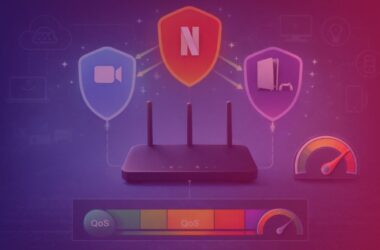
What you can do: Check what’s connected to your WiFi and disconnect anything not in use. Some routers let you set up Quality of Service (QoS), which means you can prioritise certain types of traffic—like streaming or gaming—so they get the best possible speed.
5) Network maintenance or outages
nbn® or your internet provider may schedule maintenance during the evening, which can lead to slower speeds or short outages. These are usually unannounced, especially if they’re minor or only affect certain areas.
What you can do: Check your provider’s website or the nbn® network status page to see if there’s any scheduled work or known faults in your area making your internet slow at night.
We keep a Network Status page updated >
6) Outdated modem or router
If your modem or router is a few years old, it could be slowing your connection — even if you’re on a high-speed nbn® plan. Older equipment may not support the latest Wi-Fi standards or have the capacity to handle multiple devices efficiently during peak hours.
What you can do:
- Restart your modem or router weekly to refresh the connection and improve stability
- Check for firmware updates to ensure your device is running the latest performance and security improvements
- Consider upgrading to a modern router that supports newer Wi-Fi standards like Wi-Fi 6 or Wi-Fi 7 for better speed, coverage and device handling
Look for mesh systems if you have a larger home or multiple users — they offer seamless coverage across rooms
At Swoop, we offer the latest eero 7 mesh Wi-Fi system, built on Wi-Fi 7 technology. It’s designed to handle high-bandwidth activities like 4K streaming, online gaming and video calls — all at once, across multiple devices.
7) Your provider might be overcrowded
Not all internet providers buy the same amount of bandwidth from NBN Co. Some budget providers have more customers per connection, which means the internet slows at night more often due to limited capacity.
What you can do:
- Run a speed test during the evening (between 7pm and 11pm) to check your real-world performance
- Compare your results with your provider’s advertised typical evening speed.
- If your speeds consistently fall short, it may be time to switch to a provider that delivers stronger peak-time performance
Check Swoop’s typical evening speeds here.
8) Background updates and downloads
Automatic software updates often run in the background during out-of-business hours like the evening. If your devices are downloading updates or backing up files, this could eat into your bandwidth without you realising.
What you can do: Check if any devices are downloading updates and schedule them for times when you’re not using the internet.
Check out our FTTP NBN plans
Typical evening speed (7pm-11pm)
Mbps
Download
Mbps
Upload
per
month
Typical evening speed (7pm-11pm)
Mbps
Download
Mbps
Upload
per
month
Typical evening speed (7pm-11pm)
Mbps
Download
Mbps
Upload
per
month
Typical evening speed (7pm-11pm)
Mbps
Download
Mbps
Upload
per
month
Commonly Asked Questions
Why is my internet always slower at night?
Your internet is slower at night because of peak hour congestion. Between 7pm and 11pm, more people in your area are online, using services like streaming, gaming, and video calls. This increased demand reduces available bandwidth on the nbn® network.
How can I tell if peak hour congestion is the cause?
Run a speed test during the day and again at night. If your evening speeds are consistently lower than during the day, and below what your provider promises for peak times, congestion is likely the issue.
Will upgrading my nbn® plan fix slow speeds at night?
Upgrading your nbn® plan can help if you’re on a lower speed tier like nbn® 25 or nbn® 50. However, if your provider experiences congestion, upgrading alone may not improve speeds — unless you switch to a provider with better network performance.
Is my WiFi the reason my internet is slow at night?
It could be. Interference from nearby networks and devices tends to increase in the evening when more people are home. Poor router placement, outdated hardware, or too many connected devices can all slow down your WiFi at night.
How do I reduce WiFi interference?
To reduce WiFi interference:
- Place your router in a central, elevated location
- Avoid walls, microwaves, or other electronics
- Switch to the 5GHz band for better short-range performance
- Disconnect unused devices.
Can my neighbours’ internet usage affect my speed?
Yes, especially if you’re on a shared infrastructure like FTTN, HFC, or Fixed Wireless. When many homes in your area are using the internet heavily at the same time, the available bandwidth is split across users, leading to slower speeds.
Does Netflix or YouTube slow down my internet at night?
Streaming services like Netflix and YouTube use a lot of bandwidth. If multiple people in your home are streaming at the same time — especially in 4K — it can slow down your connection, particularly during peak hours when the network is already under load.
Can using a VPN slow down my internet at night?
Yes. VPNs can reduce your internet speed because your data is being encrypted and rerouted through a remote server. This effect can be more noticeable at night when network congestion is already causing slower speeds.
Why is my upload speed also slower at night?
Upload speeds can also be affected by peak hour congestion, especially on shared nbn® infrastructure. If your provider prioritises download traffic or your plan has lower upload bandwidth, you may notice a drop during busy times.
Is it better to use wired internet at night?
Yes. Using an Ethernet cable instead of WiFi gives you a more stable and often faster connection, especially during peak times when WiFi interference is higher. This is ideal for gaming, video calls, or streaming.
Does Swoop throttle speeds at night?
No. Swoop does not intentionally throttle internet speeds. If you’re experiencing slow speeds at night, it’s more likely due to network congestion or equipment issues. We publish our typical evening speeds so you always know what to expect.
Should I contact my internet provider about slow speeds at night?
If slow speeds persist every night, it’s worth contacting your provider. They can run line tests, check for faults, or advise if your plan and hardware are suitable. If they can’t resolve the issue, it may be time to consider switching providers.
Hear from happy customers!
Slow Internet Connection?
Let Swoop get you connected FAST! Check if your address can get fast and reliable internet.
Enter your address