

Do you need a gigabit (1 GB) router?
As the fibre internet rollout progresses across Australia, more households and businesses are upgrading their connections to gigabit internet. To better handle these faster connections, people are also turning to new networking equipment, including a gigabit router.
With the release of WiFi 7 routers like Swoop’s eero 7, there are now even better ways to get the most out of high-speed nbn® plans like nbn® 500 and nbn® 1000.
What is a gigabit router, and do you really need one for your home or office? Read on for the breakdown.
Slow Internet Connection?
Let Swoop get you connected FAST! Check if your address can get fast and reliable internet.
Enter your addressWhat is a gigabit router?
A gigabit router is, as the name suggests, a router that supports speeds of up to 1 Gbps (1000 Mbps) on wired connections. Traditional routers with fast ethernet ports are limited to 100 Mbps, which can create a bottleneck if you have a high-speed internet plan and heavy demands on your broadband.
Some newer gigabit routers now support WiFi 6E or WiFi 7, which allow for even faster and more reliable wireless performance — ideal for homes with multiple devices and high-bandwidth use.
Most modern gigabit Wi-Fi routers have Wi-Fi router gigabit ethernet ports for wired devices as well as high-speed wireless connections. This means they support all your internet needs, including Enterprise Ethernet for your business.
Do I need a gigabit router?
It depends on your internet plan and how you use your network. Below are some factors to consider when deciding if you need a 1 Gb router.
Your internet speed
Internet plans of 500 Mbps or faster will benefit from a gigabit Wi-Fi router.
If you have an internet plan with speeds of 500 Mbps or higher, a gigabit router is essential to get the most out of your connection. A standard router with 100 Mbps Ethernet ports would limit your speed, creating a bottleneck.
If you have a Swoop nbn® 500, nbn® 750 or nbn® 1000 plan, a gigabit or WiFi 7 router is essential to get the full speed your connection offers.
Check out our high-speed fibre internet plans >
How many connected devices you have
A gigabit router will reduce congestion caused by high numbers of devices.
With more smart devices in homes – including TVs, gaming consoles, smartphones, and IoT devices – network congestion can be a problem. A Wi-Fi router gigabit ethernet setup helps prevent slowdowns by providing faster and more efficient data transfer.
Routers with WiFi 7, like the Swoop eero 7, are specifically designed to handle busy networks and reduce congestion across multiple devices.
Your internet usage
If you game, stream or transfer large files, a 1 Gb router can support this.
Online gaming and 4K/8K streaming require a stable, high-speed internet connection. A gigabit router can reduce lag and buffering by ensuring that high-bandwidth activities receive the necessary speed and priority.
If you transfer large files between devices on your network, a 1 Gb router can significantly improve speed. You’ll particularly see the benefits of this if you run a small business or have a home office.
Features to look for in a gigabit router
If you’ve decided that a gigabit router is right for you, here are some important features to consider:
Gigabit ethernet ports
Ensure the router has multiple Wi-Fi router gigabit ethernet ports to connect wired devices such as gaming consoles, smart TVs, and desktop computers.
Wi-Fi 6 or higher
Wi-Fi 7 or Wi-Fi 6E offers faster speeds, better efficiency, and improved performance in busy homes. For the best results, look for routers that support WiFi 7, like the eero 7 from Swoop.
Mesh system support
WiFi 7 mesh systems like eero 7 help extend fast, reliable Wi-Fi across your entire home — especially useful for larger houses or homes with Wi-Fi dead spots
Dual-band or tri-band connectivity
A dual-band or tri-band router can reduce interference and optimise performance by distributing traffic across multiple frequency bands. Most modern routers are at least dual band – this function allows you to switch between the frequency bands to avoid congestion.
Quality of Service setting
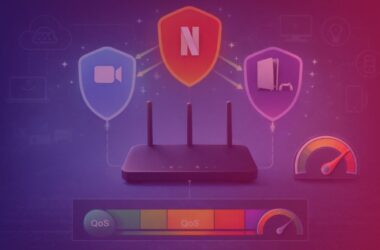
The Quality of Service (QoS) feature allows you to prioritise traffic to certain devices or apps. This helps stop a few bandwidth-hungry devices from slowing down your entire Wi-Fi network.
For instance, you can set your computer as a priority to ensure smooth video calls without lag or interruptions. If someone else starts browsing the internet or streaming a 4K movie on the same Wi-Fi network, their connection will slow down before yours.
Security features
Look for routers with built-in security features such as firewalls, WPA3 encryption and parental controls to protect your network. All gigabit routers should have decent security features.
What is WiFi 7?
WiFi 7 is the latest wireless standard, designed to support faster internet plans and high device usage. It offers lower latency, higher speeds, and better stability than previous generations.
Routers like the eero 7 support WiFi 7 and are ideal for getting the most out of high-speed plans like nbn® 500 and nbn® 1000 — especially for busy households with smart devices, streaming, and gaming.
Hear from happy customers!
Summary
So, do I need a gigabit router? If you have a fast internet plan, multiple connected devices, or need better performance for gaming, streaming or file transfers, it’s worth considering a gigabit router.
Even if your current plan doesn’t require one, investing in a 1 Gb router the next time you need an upgrade can help future-proof your network as internet speeds continue to rise.
Take a look at the eero 7 here.
Check out our internet plans
Typical evening speed (7pm-11pm)
Mbps
Download
Mbps
Upload
per
month
Typical evening speed (7pm-11pm)
Mbps
Download
Mbps
Upload
per
month
Typical evening speed (7pm-11pm)
Mbps
Download
Mbps
Upload
per
month
Typical evening speed (7pm-11pm)
Mbps
Download
Mbps
Upload
per
month
Typical evening speed (7pm-11pm)
Mbps
Download
Mbps
Upload
per
month
Typical evening speed (7pm-11pm)
Mbps
Download
Mbps
Upload
per
month
Typical evening speed (7pm-11pm)
Mbps
Download
Mbps
Upload
per
month
Typical evening speed (7pm-11pm)
Mbps
Download
Mbps
Upload
per
month
Gigabit Router FAQs
What is a gigabit router?
A gigabit router is a router that supports network speeds of up to 1 Gbps (1000 Mbps) over Ethernet connections. It’s designed to handle high-speed internet plans, reduce bottlenecks, and improve performance for streaming, gaming, and multiple connected devices.
Do I need a gigabit router for NBN 1000?
Yes. If you’re on an nbn® 1000 plan, a gigabit or faster router is essential. Without it, your router may limit your speeds, especially over Ethernet. For full performance, use a WiFi 7 router like the eero 7.
What’s the difference between a regular router and a gigabit router?
A regular router may only support 100 Mbps speeds on Ethernet ports. A gigabit router supports up to 1000 Mbps, making it much better for fast nbn® plans and homes with high data usage.
Can I use a gigabit router with slower internet plans?
Yes. A gigabit router is backward-compatible and works with all internet plans. While you won’t get gigabit speeds on slower plans, having a newer router can improve Wi-Fi range, device handling, and network stability.
Is a gigabit router the same as a WiFi 6 or WiFi 7 router?
Not exactly. Gigabit refers to the wired Ethernet speed (up to 1 Gbps).
WiFi 6 or WiFi 7 refers to the wireless technology standard. Modern routers often support both, so look for a router with gigabit ports and WiFi 6 or WiFi 7 for the best performance.
What is the best router for NBN 1000?
The best router for nbn® 1000 is one that supports gigabit+ speeds and WiFi 7, such as the eero 7 offered by Swoop. It’s designed to handle high speeds across many devices with low latency and strong signal coverage.
Take a look at the eero 7 here.
What devices benefit from a gigabit router?
Devices like gaming consoles, smart TVs, desktops, and laptops benefit most from a gigabit router — especially when connected via Ethernet or on a WiFi 6/7 network. These routers also improve performance for 4K/8K streaming, video calls, and cloud storage.
Can I use a gigabit router as a modem?
No. A gigabit router is not a modem. On most nbn® connections, you’ll connect your gigabit router to an nbn® connection box or modem provided by your ISP. If you’re using FTTP, the router connects directly to the nbn® fibre box.
Do I need a modem or just a router for NBN?
It depends on your nbn® technology type:
- FTTP and HFC: Just a router (like the eero 7)
- FTTN or FTTC: You need a modem-router combo, or separate modem + router
- Check your nbn® setup before purchasing.
Does a gigabit router improve Wi-Fi speed?
Yes, especially when paired with WiFi 6 or WiFi 7. A gigabit router won’t increase your internet plan speed, but it will help deliver that speed more efficiently across your home network — especially to wired devices or those near the router.
Is the Swoop Eero 7 a gigabit router?
Yes. The eero 7 from Swoop is a WiFi 7 router with gigabit+ capability, supporting high-speed plans like nbn® 500 and nbn® 1000. It also functions as a mesh system to improve coverage throughout your home.
Can I use a gigabit router with Swoop Fixed Wireless?
Yes. A gigabit router is compatible with Swoop’s Fixed Wireless service. It connects to your Fixed Wireless antenna via the indoor network termination device (NTD), usually through an Ethernet cable. While your plan speed might not reach 1000 Mbps, a gigabit router can still improve your home Wi-Fi performance — especially for multiple users or smart home devices.
Slow Internet Connection?
Let Swoop get you connected FAST! Check if your address can get fast and reliable internet.
Enter your addressYou might also like

How to extend Wi-Fi range
7 effective strategies to extend your Wi-Fi range. Tips and tricks to improve your Wi-Fi signal at home or work.
What is QoS
Learn what QoS (Quality of Service) means, how it helps improve internet performance, and how to set it up on your router in simple steps.

nbn congestion
Experiencing slow internet at night? Learn what nbn® congestion is, why it happens, and how Swoop’s nbn® 1000 and eero 7 router can help.

What is Wi-Fi 7?
WiFi 7 is here — faster, smoother and made for high-speed nbn®. Learn how WiFi 7 works, how it compares to WiFi 6, and how to upgrade with Swoop’s Eero 7 router.